
A “Return to Sender” scan is one of those updates that can turn a normal day into a scramble—especially in the Coachella Valley where deliveries may route through multiple facilities and the window to stop a return can be short.
The problem is simple: once a package is flagged to go back, it often moves fast. The solution is also simple in concept: identify the carrier, confirm the reason for the return, and use the right interception method before the next handoff. The details—what to do first, what to say, and what not to waste time on—are what make the difference.
Below is a practical, carrier-aware playbook you can use anywhere from Palm Springs to Indio.
Why “Return to Sender” happens here (and why timing matters)
A package gets marked “Return to Sender” (RTS) for a handful of common reasons. In the Coachella Valley, the most frequent ones we see are:
• Address mismatch or formatting issues: Unit numbers missing, a community name used instead of a street address, or a “PMB”/suite format that doesn’t match what the carrier expects.
• Delivery restrictions: Some buildings, HOAs, or gated communities have specific delivery rules, limited access hours, or require a call box code.
• Refused or undeliverable: A recipient (or front desk) refused it, or the driver marked it undeliverable due to access.
• Hold/forwarding conflicts (USPS especially): If mail forwarding is active but the package label doesn’t align, it can trigger a return.
• “Insufficient address” or “No such number”: Often a typo, transposed digits, or a street that exists in multiple nearby cities (Palm Desert vs La Quinta, etc.).
Why timing matters: RTS is not a “status,” it’s a process. Once the return label is generated or the parcel is routed back to a hub, your options narrow. The goal is to intervene before the package leaves the local network or before it’s handed off to the return stream.
What to do in the first 30–60 minutes (the fastest path)
When you see “Return to Sender,” don’t start by emailing the seller and waiting. Start with these steps in order:
Step 1: Confirm the carrier and the most recent scan location
Look at the tracking page and identify whether it’s USPS, UPS, or FedEx. Then note:
• The exact wording of the scan (e.g., “Return to Sender Processed,” “Undeliverable as Addressed,” “Refused,” “Return to Shipper”).
• The timestamp.
• The city/facility listed.
Step 2: Screenshot everything
Take screenshots of:
• Tracking history
• The delivery address on the order confirmation
• Any delivery instructions you provided
If you end up escalating, screenshots prevent “we can’t see that scan” conversations.
Step 3: Decide your best immediate move: intercept vs hold vs redirect
Your best option depends on the carrier:
• USPS: “Package Intercept” may be available (not always), or you may need the destination post office to place a hold/stop-return note.
• UPS: “UPS Delivery Intercept” or My Choice options may help, but not all shippers allow it.
• FedEx: “Hold at Location” or a reroute request may work, again depending on shipper restrictions.
Step 4: Call or chat support with the right goal
Your goal is not “Where is my package?” Your goal is: “Stop the return and hold for pickup / correct the address.”
Use a direct script:
“I’m the recipient. Tracking shows the package has been marked Return to Sender. I need to stop the return and have it held at the local facility for pickup (or correct the address). What options are available right now?”
Step 5: Notify the shipper only after you’ve attempted the intercept
Many sellers can’t do anything until the package is back in their possession. If you can stop the return locally, you save days.
Carrier-specific fixes that actually work
Because each carrier treats RTS differently, here’s what to try—without wasting time on dead ends.
A) USPS (United States Postal Service)
What usually causes RTS with USPS:
• “Insufficient Address” (missing unit, wrong ZIP+4, or formatting)
• Forwarding/hold mail conflicts
• Access issues in gated communities or multi-unit buildings
What to do:
1) Check if USPS Package Intercept is available
USPS Package Intercept is not guaranteed. If available, it can redirect to a hold-for-pickup or a corrected address. If it’s not available, don’t keep refreshing—move to the next step.
2) Contact the destination post office (not just the 800 number)
If the tracking shows a local post office in Palm Springs, Palm Desert, La Quinta, Indio, or nearby, the destination office can sometimes:
• Place a hold for pickup
• Add delivery instructions
• Flag the parcel for review before it’s returned
What to say:
“I’m calling about a parcel that just scanned Return to Sender/Undeliverable. Can you please check if it’s still at your office and hold it for pickup? I can provide the tracking number and ID.”
3) Be ready to prove the correct address
USPS staff will often ask what’s wrong with the address. If you can clearly state:
• Street number and name
• Unit/suite
• City and ZIP
• Recipient name
…you have a better chance of getting it held.
Important reality check:
If USPS has already dispatched it into the return stream, the local office may not be able to pull it back. That’s why the first hour matters.
B) UPS
What usually causes RTS with UPS:
• Access issues (gates, call boxes)
• Address corrections needed (unit number, suite)
• Shipper restrictions (signature required, no redirect allowed)
What to do:
1) Try UPS Delivery Intercept (if permitted)
UPS Delivery Intercept can sometimes:
• Hold for Will Call
• Redirect to a UPS Access Point
• Correct address
But: some shippers block intercepts. If blocked, ask UPS what the shipper must do to authorize changes.
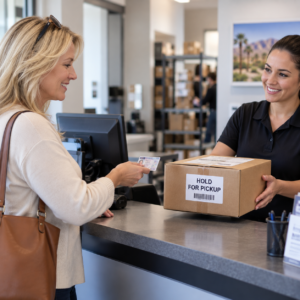
2) Ask for “Hold for Pickup” at the local Customer Center or Access Point
If the return process hasn’t advanced too far, UPS may be able to hold it. Ask specifically:
“Can you convert this to Hold for Pickup today? I can pick up with ID.”
3) If the issue is a missing unit number, request an address correction immediately
UPS can sometimes apply an address correction, but it may add a fee billed to the shipper. If you’re the recipient, you may need the shipper to approve.
 C) FedEx
What usually causes RTS with FedEx:
• Address mismatch or missing apartment/unit
• Business closed / delivery window issues
• Shipper restrictions on reroute
What to do:
1) Request “Hold at Location”
This is often the fastest fix if it’s still in the local network. Ask to hold it at a nearby FedEx Office or participating hold location.
2) Confirm whether the shipper has placed a “do not redirect” restriction
If restricted, you may need the shipper to initiate the change. In that case, contact the shipper with a clear request:
“FedEx shows RTS. Please contact FedEx to authorize a hold at location or address correction. Here is the tracking number and the correct address.”
What to gather before you call (so you don’t get stuck)
Have these ready before you call any carrier or the shipper:
• Tracking number
• Recipient name exactly as on the label
• Full correct address (including unit/suite, building name if relevant)
• Phone number associated with the shipment (if any)
• Proof of purchase/order confirmation
• A short explanation of what’s wrong (one sentence)
Examples of “one sentence” explanations:
• “The label is missing my unit number; it should be Unit 214.”
• “This is a gated community; driver needs the call box code or please hold for pickup.”
• “The city was entered as Palm Springs but the ZIP is for Palm Desert; please correct to Palm Desert.”
When to escalate—and when to re-order instead
Escalate when:
• The package contains medication, time-sensitive documents, keys, or travel items.
• The tracking shows it’s still at a local facility.
• The return scan is within the last few hours.
Re-order (or ask the shipper to reship) when:
• The package is already moving back to the shipper with multiple outbound scans.
• The carrier confirms it cannot be intercepted.
• The shipper can resend faster than the return can be reversed.
A practical approach:
If you can’t stop the return within the same day, ask the seller to reship immediately to a verified address (and consider a hold-for-pickup option to avoid a repeat).
How Executive Errands® helps from Palm Springs to Indio
When a package flips to “Return to Sender,” the hardest part is rarely the idea of fixing it—it’s the time and coordination: calling the right place, getting the right person, and acting quickly.
Executive Errands® supports clients across the Coachella Valley by helping you:
• Identify the best interception option based on the carrier and scan details
• Coordinate with the shipper for authorization when required
• Arrange a hold-for-pickup plan and confirm what ID is needed
• Reduce back-and-forth by organizing the exact information carriers ask for
If you’re juggling work, travel, or family obligations, having someone manage the steps and keep the process moving can be the difference between saving the shipment and waiting for a full return cycle.
If you’re currently looking at a “Return to Sender” scan, treat it like a time-sensitive task: capture the details, contact the carrier with a clear request, and move quickly toward a hold or intercept.
And if you’d rather not spend your day on carrier calls and follow-ups, Executive Errands® can help you handle it efficiently—anywhere from Palm Springs to Indio.